Installation
This chapter describes how to connect a Festo drive to the Universal Robots controller using the CMMT‑AS servo drive as an example, which draws its 24 V DC control voltage directly from the robot controller. To ensure the drive is safely shut down in the event of an emergency stop, the drive’s STO input is wired to one of the controller’s safe, configurable outputs.
Example Wiring Diagram for CMMT‑AS Connection
-
Control Voltage (24 V DC)
Connect the 24 V DC output of the robot controller to the 24 V DC input of the CMMT‑AS.
Note: This direct supply only works if no other loads are connected and only one CMMT‑AS is used. -
Modbus‑TCP
Run an Ethernet cable from the robot controller’s Ethernet port to the RJ45 port on the CMMT‑AS. -
Emergency‑Stop (STO)
Wire a configurable safety output on the robot controller to the STO input on the CMMT‑AS.
Note: The configurable output (CO0/CO1) must be configured in Polyscope to trigger on emergency stop.
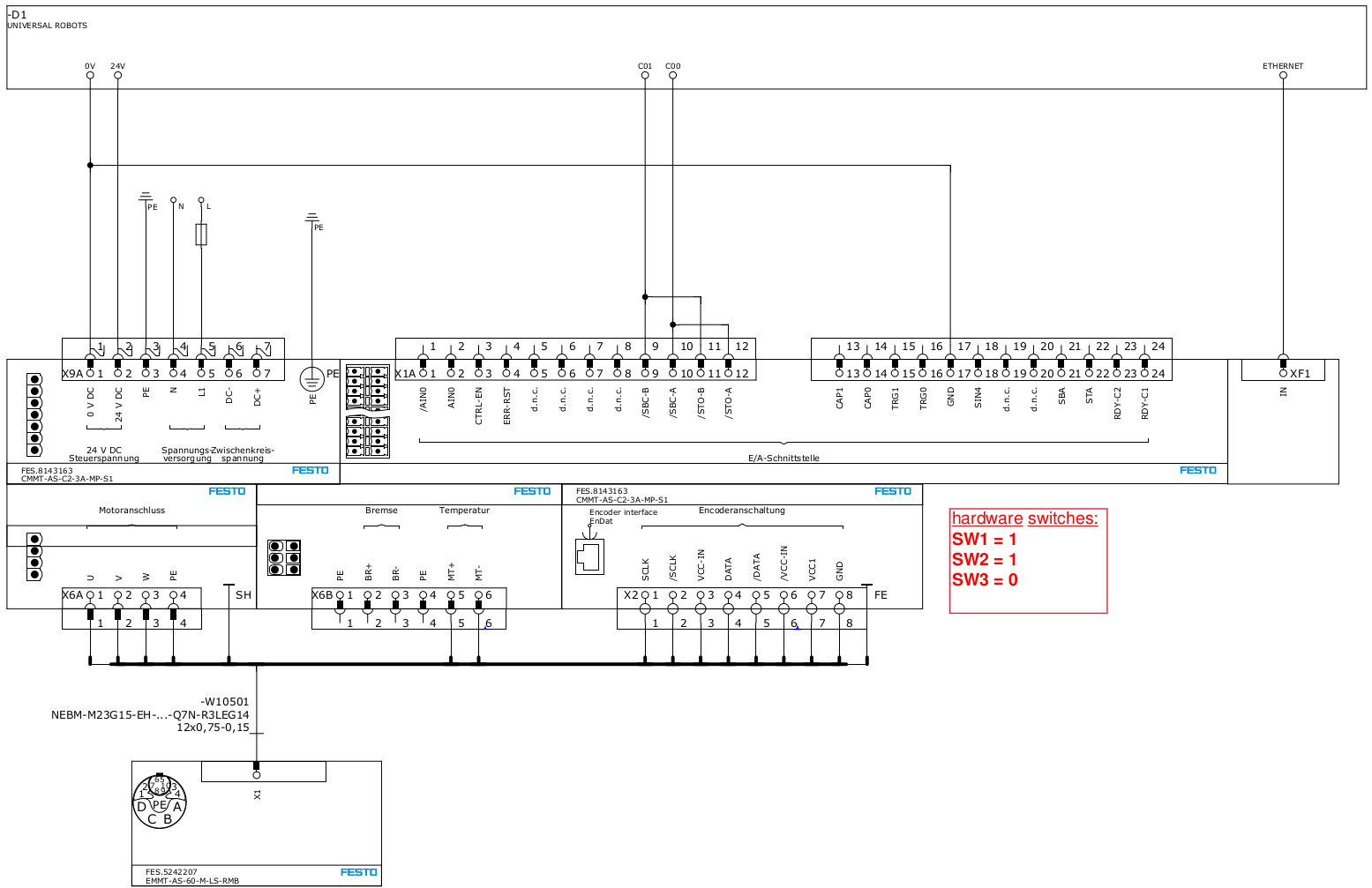
Figure: Example connection of a CMMT‑AS servo drive controller to the UR controller.
Tip:
- If you plan to install multiple drives or connect additional loads to the 24 V output, always use a separate DC power supply to ensure sufficient capacity.
- For CMMT‑ST stepper drive controllers, a separate DC power supply is always required.
⚠️ CAUTION: The wiring diagram is provided as an example only. Electrical installation must be performed by a qualified electrician and must comply with local regulations and safety standards!!!
Protocol Selection Switches
The Festo drive controllers supported by the esaDrive URCap are so‑called multiprotocol devices, meaning they support multiple bus protocols. To ensure the controllers default to Modbus‑TCP on power‑up, the DIP switches on the controller housing must be set as follows:
- SW1 = 1
- SW2 = 1
- SW3 = 0
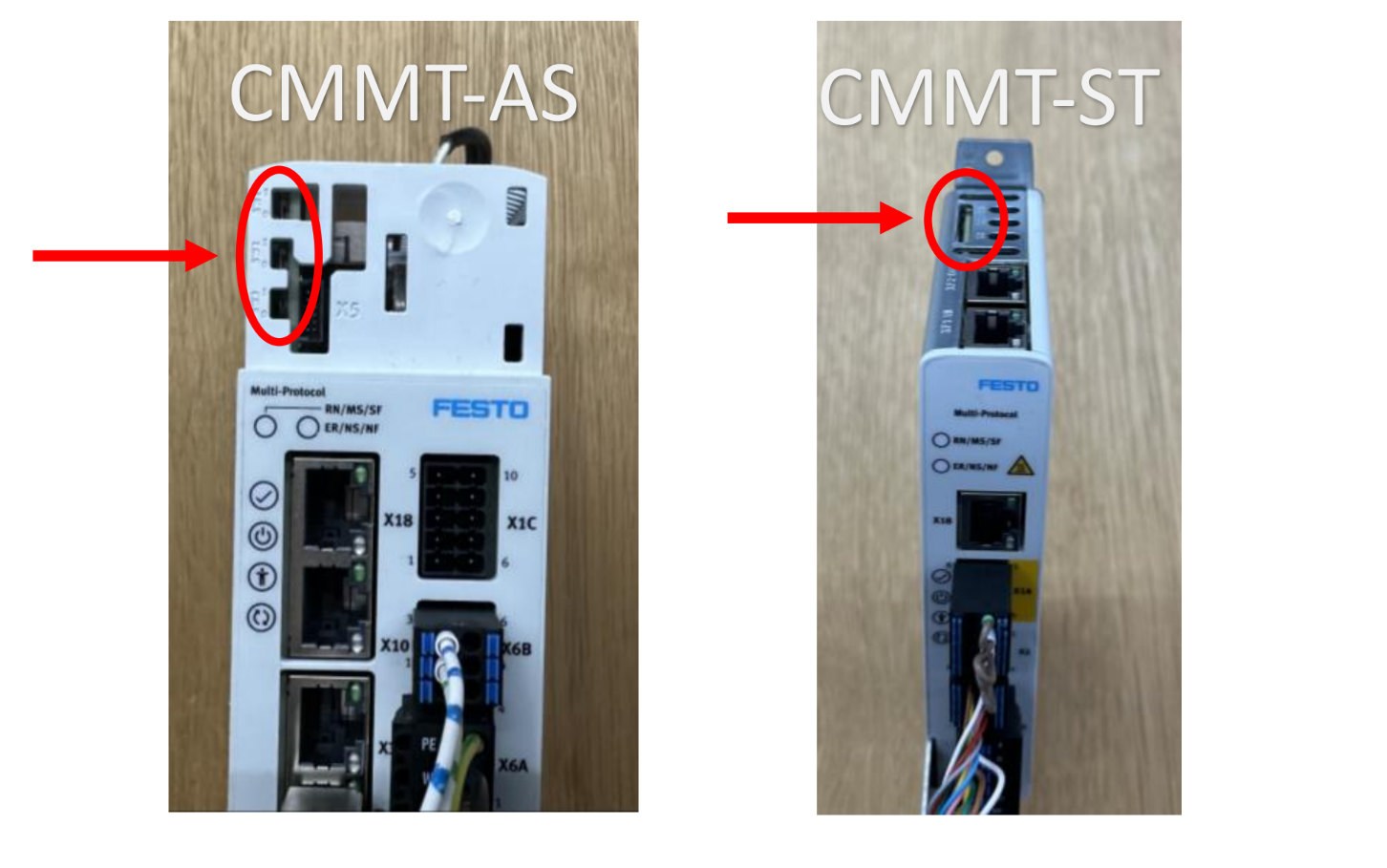
Figure: Protocol DIP‑switch settings on a Festo CMMT‑AS and CMMT‑ST drive controller.