Settings
Once a drive has been successfully paired with the robot controller, it appears in the list of paired drives. Clicking the gear icon opens the settings menu for that drive.
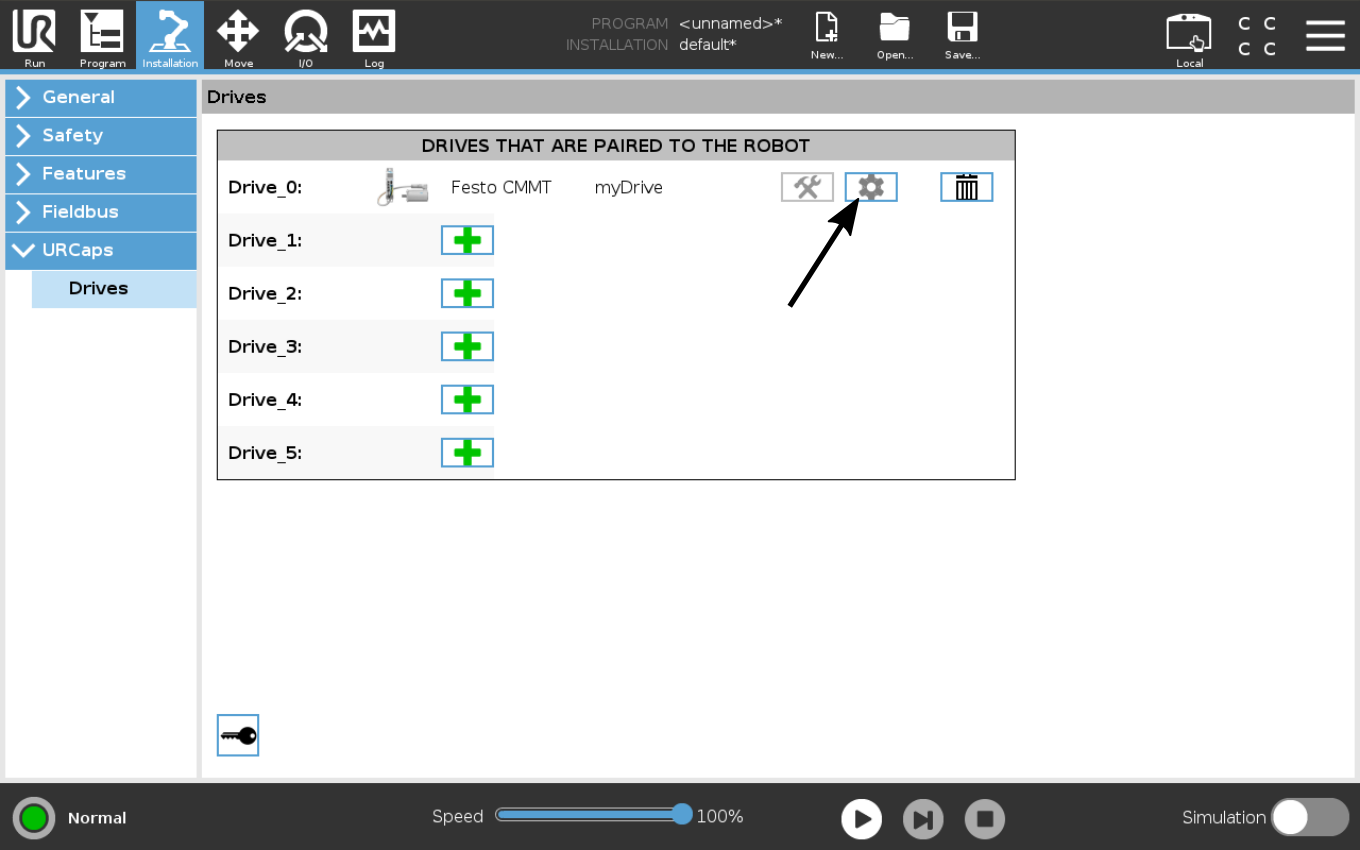
Figure: Button that opens the settings menu for a drive.
In the following figure, the settings menu is shown:
- Greyed‑out fields: Display information only and cannot be modified.
- Active input fields: Allow parameters to be adjusted directly in the URCap.
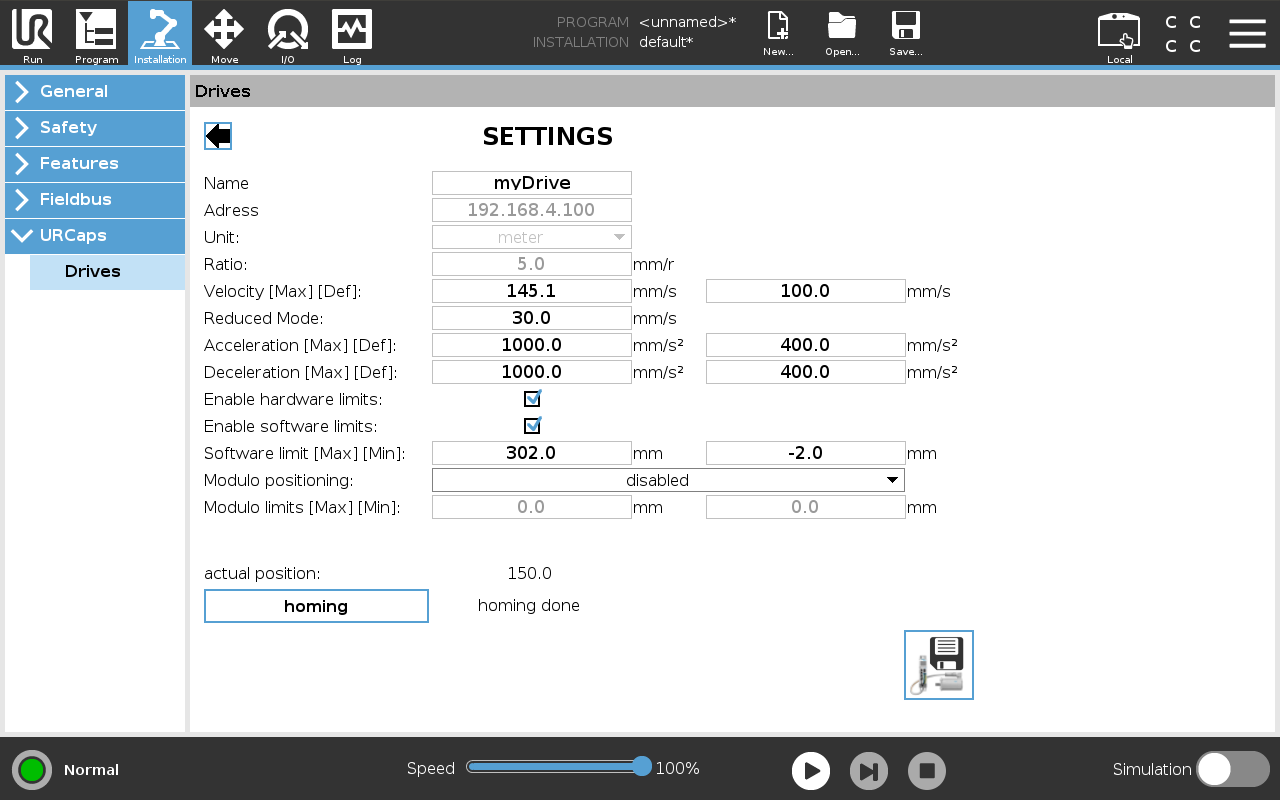
Figure: Settings menu of a drive.
Name
Alias of the drive. A descriptive name improves clarity in the robot program.
Address
IP address of the drive controller. During connection setup, the robot controller searches for a device at this address.
Unit
The unit configured in the drive controller: meters for linear axes, degrees for rotary axes.
Ratio
Ratio between motor revolutions and movement unit of the driven mechanism. For a linear axis, this translation specifies how many millimeters the axis moves per motor revolution.
Velocity Max
Maximum velocity that can be entered for a drive motion command in the robot program.
Velocity Def
Default velocity prefilled in the velocity field for new motion commands and used when operating the drive manually at 100 % on the speed slider.
Reduced Mode
Velocity used when the robot switches to Reduced Mode. This can happen, for example, when the robot is equipped with a safety laser scanner and the robot speed is reduced as soon as a person comes close to the robot.
When Reduced Mode is active, the external drive also moves only up to the velocity configured here.
Acceleration Max
Maximum acceleration that can be entered for a motion command in the robot program.
Acceleration Def
Default acceleration prefilled for new motion commands.
Deceleration Max
Maximum deceleration that can be set for a motion command in the robot program.
Deceleration Def
Default deceleration prefilled for new motion commands.
Enable hardware limits
Enables the hardware limit switches connected to the drive controller.
Warning: If disabled, the controller will not stop when a hardware limit switch is triggered.
Enable software limits
Enables software limit switches.
Warning: Without software limit switches, the controller can move beyond the defined software limits.
Software limit Max
Upper limit for the software limit switches.
Software limit Min
Lower limit for the software limit switches.
Modulo Positioning
Determines how the controller behaves in a cyclic position range (modulo):
- Disabled: No cyclic behavior.
- Shortest Path Within Limits: Movement stays within the modulo range and chooses the shortest path.
- Shortest Path Across Limits: Ignores modulo limits and chooses the shortest path across them.
Modulo Max
Upper boundary of the modulo range.
Modulo Min
Lower boundary of the modulo range.
Save
Some parameters are stored both in the robot controller and in the drive controller. After making changes in the URCap, use the Save button at the bottom right of the settings dialog to transfer the updated values to the drive controller.

Figure: Button used to write the modified parameters to the drive controller.