Festo Automation Suite
During initial commissioning, the Festo drive controller must first be configured with the Festo Automation Suite software. This includes settings such as the drive controller, motor, mechanics, user unit and other application-specific parameters.
This page does not describe every setting in the Festo Automation Suite. Many parameters must be adapted to the specific application and may differ from project to project, for example depending on the drive controller, motor, gearbox, mechanics or selected user unit. However, the following settings are especially important for communication and operation with the esaDrive URCap and must be set correctly.
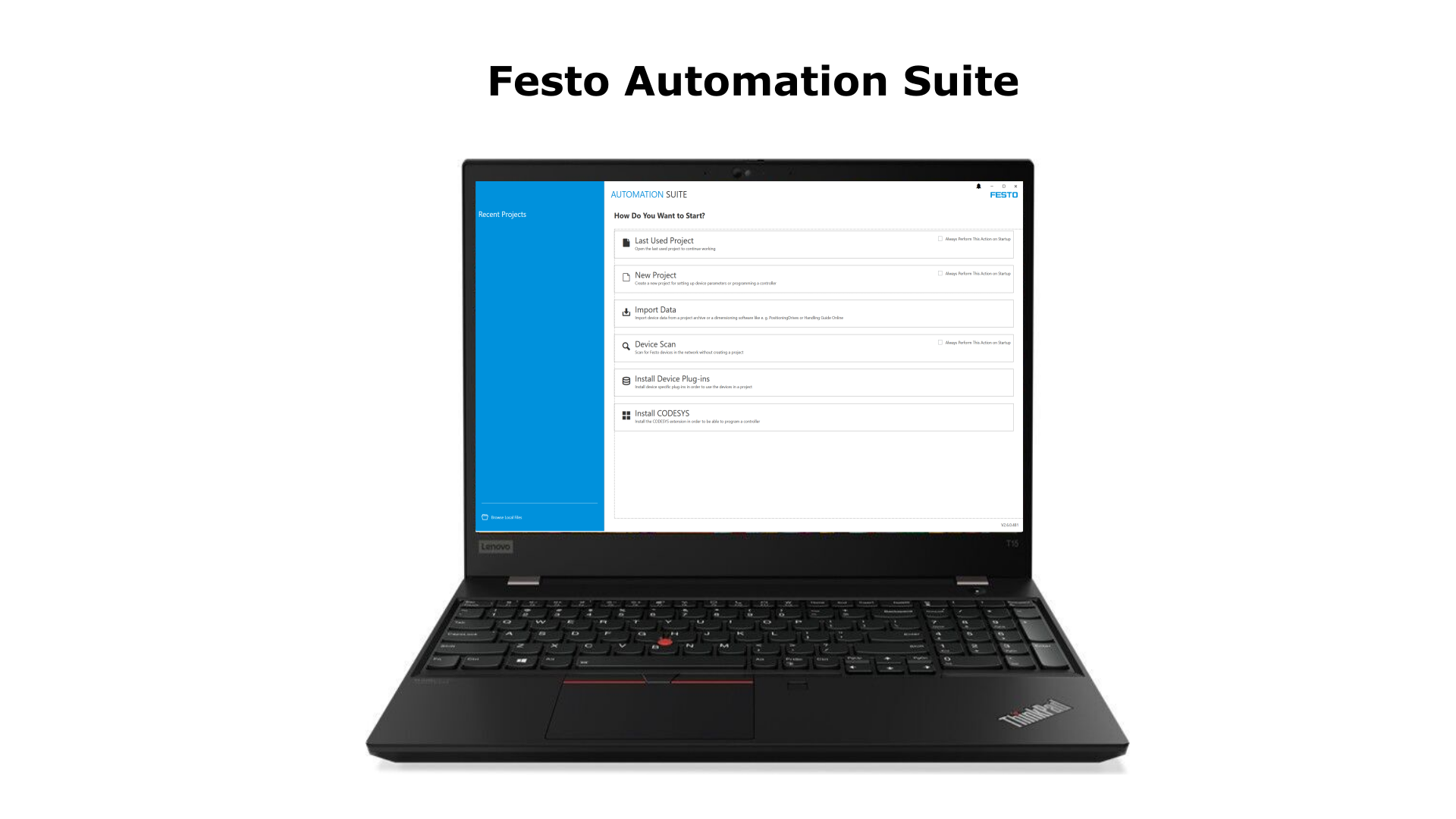
Figure: Festo Automation Suite used to configure the drive controller.
Firmware Version
The following Festo drive controller firmware versions are currently supported for use with the esaDrive URCap:
| Firmware version | Note |
|---|---|
| V036.12.0.133 | Recommended |
| V033.0.10.12 | Supported |
It is recommended to use firmware version V036.12.0.133. The firmware version should be checked before continuing with the remaining parameterization and updated if necessary, because some settings can differ depending on the firmware version. This applies, for example, to the Activation via setting.
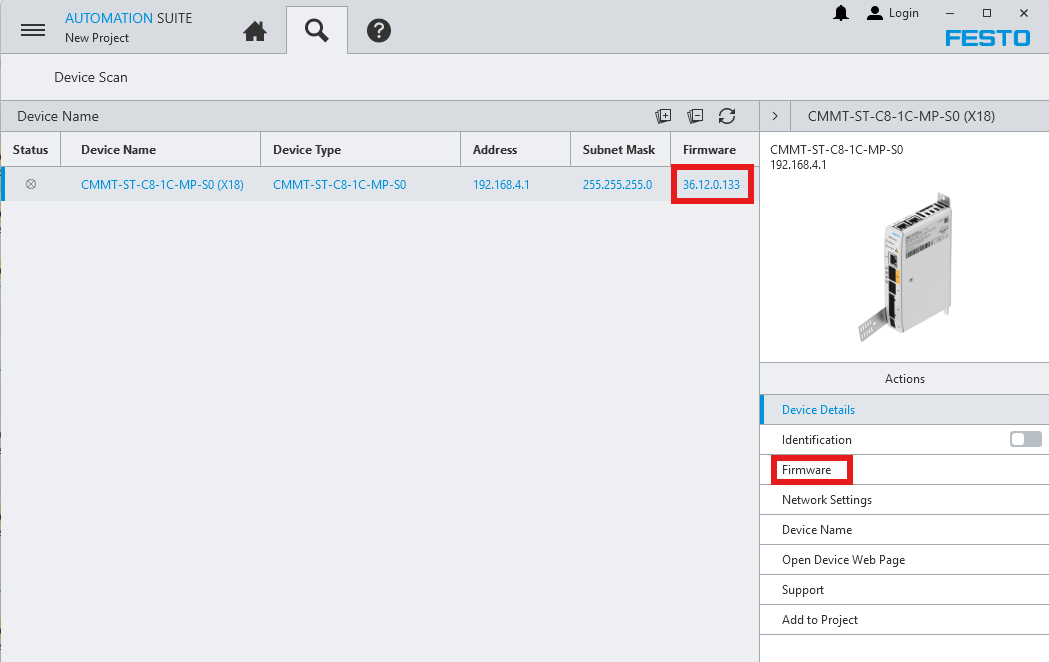
Figure: Drive controller firmware version in the Festo Automation Suite.
User Unit
The User Unit setting defines the unit of measurement used by the drive. The esaDrive URCap currently supports only the following three units:
- Degree [°, °/s, ...] (5)
- Metric [m, m/s, ...] (6)
- Imperial [in, in/s, ...] (7)
For a linear axis, only Metric or Imperial may be used. For a rotary axis, Degree must be used.
| Application | Allowed User Unit |
|---|---|
| Linear axis | Metric [m, m/s, ...] (6) or Imperial [in, in/s, ...] (7) |
| Rotary axis | Degree [°, °/s, ...] (5) |
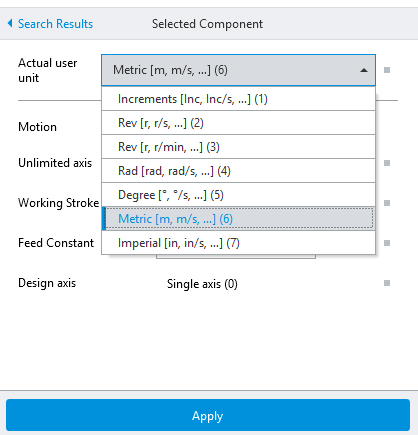
Figure: User Unit setting in the Festo Automation Suite.
Activation via
The Activation via setting normally has to be set to Fieldbus (2). This applies to the recommended firmware version V036.12.0.133.
If firmware version V033.0.10.12 is used on the Festo drive controller, this setting must be set to Plug-in (4) instead.
| Drive controller firmware version | Setting |
|---|---|
| V036.12.0.133 (recommended) | Fieldbus (2) |
| V033.0.10.12 | Plug-in (4) |

Figure: Activation via setting.
RTE Configuration
In the RTE Configuration setting, Ethernet/IP - ModbusTCP (3) must be selected.
This setting defines which fieldbus is used by the drive controller to communicate with the robot controller. For communication with the esaDrive URCap, ModbusTCP is used.

Figure: RTE Configuration for ModbusTCP.
Telegram
In the Telegram setting, Telegram (111) must be selected.
This telegram defines which process data is exchanged between the robot controller and the drive controller. The esaDrive URCap expects the process data layout of Telegram (111).

Figure: Telegram configuration with Telegram 111.
Factor Group
The Factor Group contains the settings Position and Velocity.
Velocity must always be set to -3.
Position depends on the previously selected User Unit:
| User Unit | Position | Velocity |
|---|---|---|
| Degree [°, °/s, ...] (5) | -3 | -3 |
| Metric [m, m/s, ...] (6) | -6 | -3 |
| Imperial [in, in/s, ...] (7) | -4 | -3 |
Note: The Factor Group values must match the selected User Unit. An incorrect setting causes position and velocity values to be scaled incorrectly between the robot and the drive controller.
Degree
For User Unit Degree [°, °/s, ...] (5), Position = -3 and Velocity = -3 must be set.
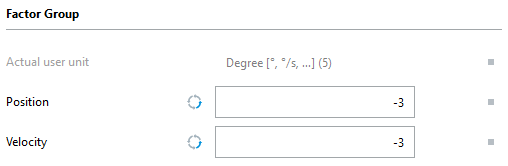
Figure: Factor Group for Degree.
Metric
For User Unit Metric [m, m/s, ...] (6), Position = -6 and Velocity = -3 must be set.
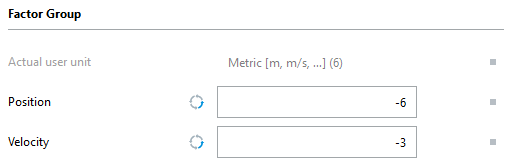
Figure: Factor Group for Metric.
Imperial
For User Unit Imperial [in, in/s, ...] (7), Position = -4 and Velocity = -3 must be set.
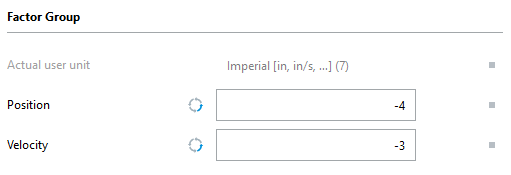
Figure: Factor Group for Imperial.