Toolbar
The external drives can be moved not only by program commands, but also manually using the toolbar. The toolbar is opened in the upper right corner of the robot teach pendant.
Moving a drive from the toolbar is especially useful when an axis needs to be moved manually, for example during setup, testing, or when clearing a drive from an area.
Jogging
The blue arrow buttons can be used to jog the selected drive directly in the positive or negative direction. The drive moves as long as the corresponding arrow button is held down.
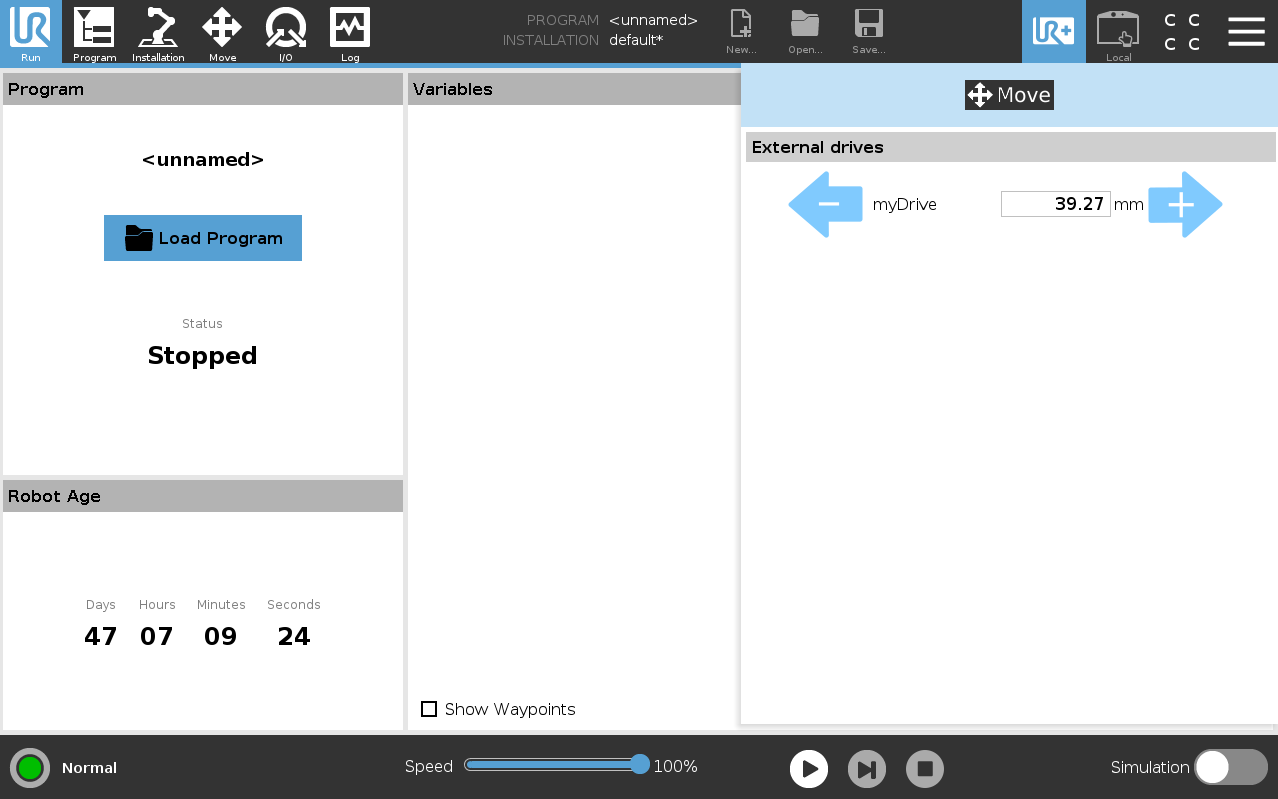
Figure: Manual jogging of an external drive from the toolbar.
Move to target position
Clicking the position display field opens an input window. In this window, the desired target position can be entered directly.
To move to the target position, the Move drive to target position button must be held down. The drive moves toward the entered target position while the button is held down.
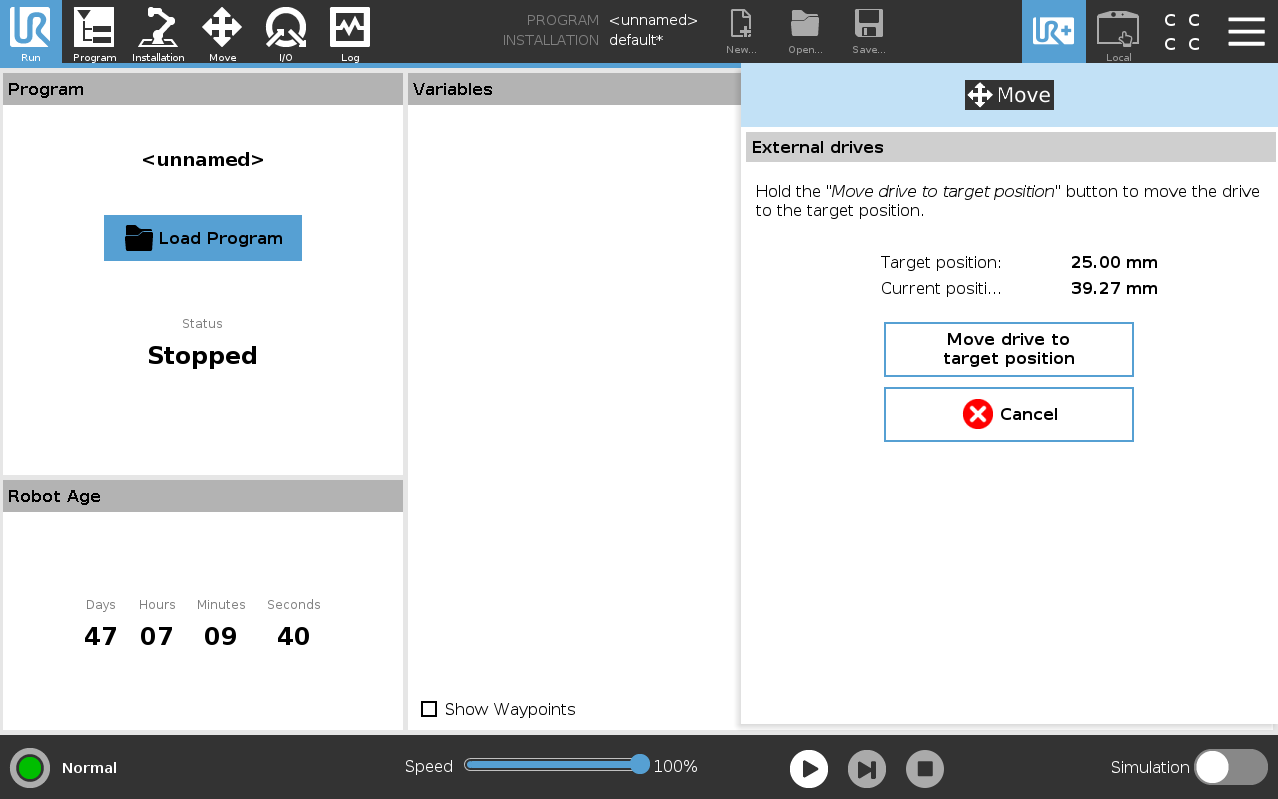
Figure: Input window for manually moving to a target position.